






Основы сайдчейна в музыкальном продакшене
From the heartbeat of a kick drum to the breath of a pad, sidechain compression is a powerful tool that helps every producer shape space and movement in a track. When used thoughtfully, it can create clean, punchy mixes that translate well on streaming platforms and across speakers. This article breaks down the foundations of sidechain in music production, explains how it works, and walks you through practical setups across popular DAWs. Whether you are crafting lo-fi hip hop grooves, reggae inspired rhythms, gospel influenced textures, or high energy EDM drops, mastering sidechain will elevate your tracks and keep your mixes clear and musical.
What is sidechain compression and why it matters
Sidechain compression is a technique where one audio signal (the sidechain input) is used to control the compressor that sits on another signal (the target). In simple terms, you tell a compressor to “duck” or reduce the volume of a track whenever the sidechain input plays. This creates space for the sidechain trigger and introduces a pulsing or breathing feel that is especially noticeable on dance music and pop productions.
Key ideas to remember:
– The sidechain input acts as a trigger for the compressor on the target track.
– The amount of gain reduction depends on threshold, ratio, attack, and release settings.
– The classic effect is a noticeable pump, but sidechain can be subtle and musical as well.
Why it matters for your mixes
– Improves vocal clarity in dense instrument arrangements
– Reduces muddiness between kick and bass
– Creates rhythmic movement that enhances groove and energy
– Helps elements sit better in the stereo field during streaming playback
Core concepts and terms you should know
Before you dive in, get comfortable with these terms. They will come up repeatedly as you tweak and refine your sidechain.
Sidechain input and target
- Sidechain input: the track or signal used to trigger the compressor
- Target: the track that receives the compressor’s gain reduction
Common parameters
- Threshold: how loud the detector input must be before compression kicks in
- Ratio: how much gain reduction occurs once the threshold is exceeded
- Attack: how quickly the compressor reacts to the sidechain signal
- Release: how long it takes for the compressor to stop reducing gain after the sidechain signal ends
- Knee: how gradually the compressor engages, affecting the punch and naturalness
Detector and filters
- Detector: the internal circuit that reads the sidechain signal
- Sidechain filters (sometimes called detector filter): may shape the frequency range used to trigger the compressor
- High pass filter on the sidechain: commonly used to reduce triggering from sub bass or low end
Internal vs external sidechain
- Internal sidechain uses an instrument within the same track for triggering
- External sidechain uses a separate track or bus as the trigger
Frequency based sidechain
- Also called multiband or dynamic EQ sidechain
- Triggers compression based on specific frequency bands, not the entire signal
When to use sidechain
Sidechain is not a one size fits all effect. Here are common scenarios and how they serve different goals.
- Kick and bass ducking: create space in the low end so the kick punches without fighting the bass
- Vocal clarity: reduce competing energy around vocal phrases
- Pad and synth movement: add rhythm and groove to sustained chords
- Reverb ducking: prevent reverb tails from muddying the mix
- Bus and master chain: glue the mix while preserving dynamic contrast
- Genre specifics: pumping is often desirable in EDM and house; more subtle sidechaining can be used in reggae, gospel influenced arrangements, and lo-fi hip hop to maintain warmth without overpowering
Techniques you can try right away
- Subtle pumping for modern pop and EDM
- Very aggressive pumping for classic house builds
- Sub-bass preservation using a high pass filter on the sidechain
- Frequency aware sidechaining to target only the most problematic frequencies
Practical tips
– Start with a gentle ratio like 2:1 or 3:1 and a modest threshold
– Aim for 1 to 3 dB of gain reduction for a natural feel in most genres
– If the groove needs more movement, experiment with a shorter attack and a medium release
– Use a sidechain on the master bus sparingly and only when the track needs extra room
Getting started across popular DAWs
Below are practical, copyable setups for common DAWs. The exact names of buttons may vary, but the workflow is the same.
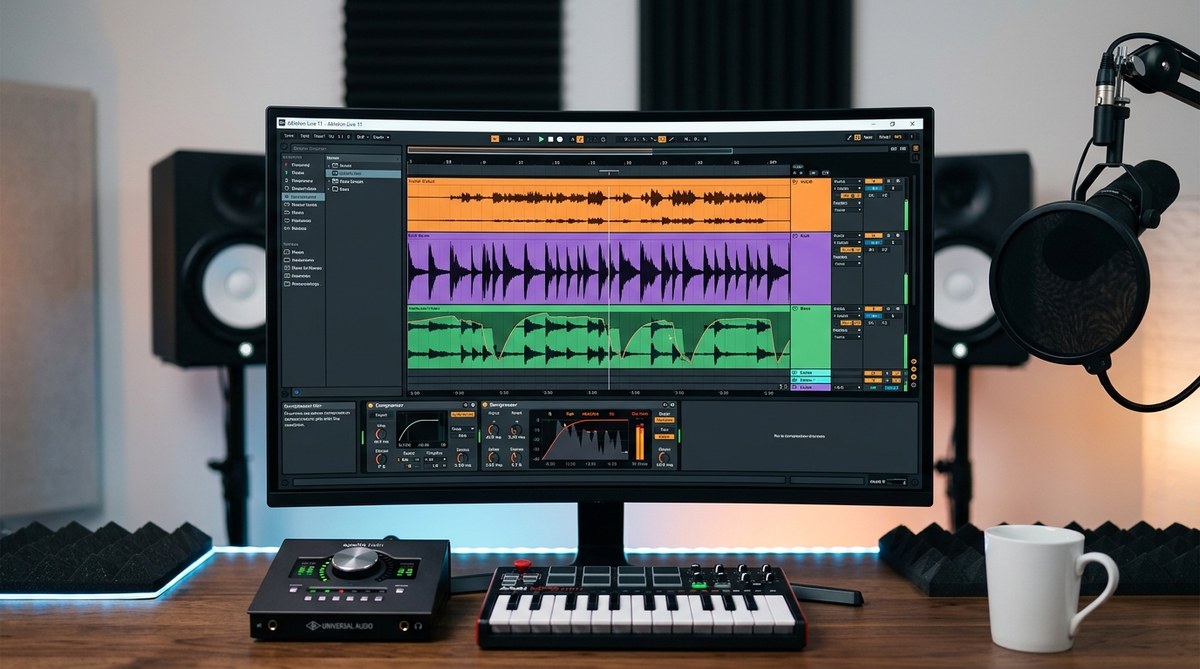
Ableton Live
- Create a compressor on the track you want to duck (for example the synth pad or bass)
- Click the Sidechain switch to enable external sidechain
- In the sidechain input drop down, select the kick or the triggering track
- Adjust the threshold to begin compression when the kick hits
- Set the ratio to around 4:1 for a classic pump
- Attack around 1 to 5 ms for a punchy response
- Release around 60 to 120 ms for a natural decay
- If the kick is too muffled, reduce the sidechain gain or adjust the detector filter to focus on higher frequencies
- Optional: add a small amount of makeup gain to keep levels consistent
Logic Pro X
- Insert a compressor on the target track
- Expand the Side Chain menu and select the triggering track (for example the kick)
- Start with a threshold that produces 2 to 3 dB of gain reduction
- Use a fast attack (0 to 5 ms) and a medium release (50 to 120 ms)
- Increase ratio to 3:1 or 4:1 for a noticeable pump if desired
- If needed, apply a high pass filter to the sidechain to reduce bass triggering
- Use the mix control to blend parallel compressed signal if your plugin supports it
FL Studio
- Route the triggering track to a sidechain input on a compressor on the target track
- Enable sidechain input in the mixer channel
- Set threshold to trigger compression during the kick
- Use a 2:1 to 4:1 ratio, with fast attack and moderate release
- Apply a high pass filter on the sidechain to reduce sub bass triggering
- Fine tune with the makeup gain to maintain level consistency
Pro Tools
- Use a compressor plugin that supports external sidechain on the target track
- Enable the sidechain input and select the triggering track
- Start with a gentle ratio and adjust attack and release to taste
- If necessary, apply a detector filter to keep the action focused on the desired frequencies
- Check the overall mix in mono to ensure the effect remains musical
Practical examples by genre
- Lo-fi hip hop
- Subtle sidechain on the master or drums to create gentle groove without sounding electronic
-
Sidechain a soft pad to breathe with the drum patterns to preserve warmth
-
Reggae and ska roots
-
Gentle pumping on chord stabs to emphasize percussive hits while keeping vocal intelligible
-
Gospel inspired arrangements
- Use sidechain on backing pads to maintain vocal clarity during choruses
-
Apply multiband sidechain to avoid muffling lower harmonies
-
EDM and pop
- Classic kick to bass ducking to ensure a tight low end
-
Sidechain on synths and plucks to create a clean, punchy drop
-
Jazz influenced lyric tracks
- Subtle sidechain on reverb tails to prevent wash from washing out vocal phrases
Techniques to expand your toolbox
- Reverb ducking
- Trigger a compressor on the reverb return with the kick as the sidechain input to shorten the reverb tail during hits
- Mid side sidechain
- Duck only the mid channel while leaving the sides intact to preserve stereo width
- Frequency aware sidechain
- Use a multiband compressor or dynamic EQ on the sidechain to target key frequencies
- Ghost sidechain
- Use a quieter, non audible trigger track to sculpt dynamics without obvious pumping
Practical troubleshooting checklist
- If the track pumps too aggressively, reduce the ratio or increase the release time
- If you do not hear any effect, check that the sidechain input is correctly routed and audible
- If the pump feels out of place with tempo, adjust the attack and release to fit the tempo
- If the pump interferes with sub bass a sidechain filter on the detector is recommended
- If you want transparency, try a lower ratio and slower attack
- If the track sounds lifeless, avoid over compressing and use makeup gain to restore loudness
Creating a quick reference cheat sheet
1) Choose your trigger
– Kick for bass and kick separation
– Vocal or pad for groove and space
2) Set initial compressor parameters
– Threshold: just enough to see 2 to 3 dB of gain reduction
– Ratio: 3:1 to 4:1
– Attack: 1 to 5 ms
– Release: 60 to 120 ms
3) Apply detector filters
– Use a high pass filter on the sidechain to reduce sub bass triggering
– Target frequencies around 1 kHz to 3 kHz if you want more intelligibility on vocals
4) Fine tune
– Adjust attack and release to taste
– Use makeup gain for consistency
– Listen in mono to check phase and avoid issues
5) Evaluate in context
– A/B the track with and without sidechain
– Check how it sits in the full mix
– Ensure the pumping feels musical and not distracting
Best practices for streaming readiness
- Do not overdo pumping; aim for a musical groove rather than a loudness artifact
- Ensure dynamic range is preserved to avoid a flat listening experience
- Use subtle sidechain on the master bus only if the mix requires extra space
- Verify your track on multiple listening environments: headphones, laptop speakers, and car audio
Final thoughts and takeaways
Sidechain compression remains one of the most practical and versatile tools in a producer’s arsenal. By understanding the core concepts, you can apply it across genres from gospel based arrangements to lo-fi hip hop and reggae flavored productions. Start simple with kick to bass ducking and gradually experiment with frequency based sidechain, mid side configurations, and reverb ducking to create space and movement without sacrificing tone or clarity. With consistent practice and careful listening, you will master the pumping quality that makes tracks feel alive.
If you are building a streaming ready track and want to keep your mix clean while delivering energy, a well implemented sidechain makes space for every important element without crowding the mix. Remember to start with gentle settings, use detector filters to avoid triggering on sub bass, and always compare your work in different listening environments. The more you practice, the more intuitive sidechain compression will become, allowing you to craft tracks that feel both musical and dynamic.
Appendix: quick starter plan for your next session
– Pick one target track (kick and bass or vocal and instrument)
– Enable sidechain on the target and route from the trigger
– Set a conservative threshold and a modest ratio
– Short attack for punch, longer release for natural decay
– Apply a detector high pass around 80 to 120 Hz to reduce bass triggering
– Listen in context and adjust for groove and clarity
– Save a preset you like and reuse on similar projects
By applying these foundations you will achieve cleaner mixes, more dynamic tracks, and a better fit for streaming platforms. Practice makes progress, so set aside time to experiment with different triggers, frequencies, and genres.
Promoting strong, clear arrangements is a cornerstone of PromoSound orgs guiding principles. We invite you to explore more about mixing techniques, reverb usage, and genre influenced production on our site. Whether you aim to highlight gospel harmonies, roots reggae energy, or lo-fi hip hop vibes, sidechain is a valuable tool to master in your production workflow.